Wallpaper for websites
Here's a quick look about how you can give your site some wallpaper. Whilst you are moving the furniture around there is also some traditional wallpaper design for inspiration.
Adding wallpaper to a site 
With a bit of simple CSS you can add wallpaper to a site quickly and easily. Apply a repeating background image to the body of your HTML document and then use a wrapper to put your content on top of the wallpaper. Rather like hanging a picture on a wall.
XHTML 
<html>
  <head>
    <title>Your title here</title>
    <style type="text/css" media="screen">
      @import "css/screen.css";
    </style>
  </head>
  <body>
    <div id="wrapper">
      <p>Your content here</p>
    </div>
  </body>
</html>
CSS 
body {
  font: 62.5%/1.5 "Lucida Grande", "Lucida Sans", Tahoma, Verdana, sans-serif;
  background: url(../images/wallpaper.gif) repeat;
  color: #333366;
  text-align: center;
}

#wrapper {
  width: 1000px;
  text-align: left;
  margin-left: auto;
  margin-right: auto;
  background-color: #ffffff;
}
See this code in action in the example
Repeaters and tessellation 
CSS can repeat images across a screen, so there is no requirement for a large image. For gradients for example you can use a 1 px wide image and repeat it across the screen using repeat-x. This leads us on to wallpaper design in general and the idea of tessellation. A tessellation is created when a shape is repeated over and over again covering a plane without any gaps or overlaps. This is great for the web as it means small files can be repeated with no requirement for massive downloads.
Wallpaper design - inspiration from history 
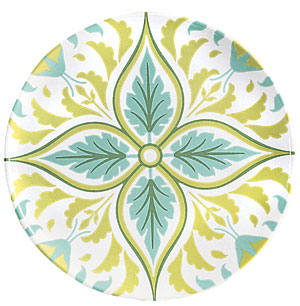
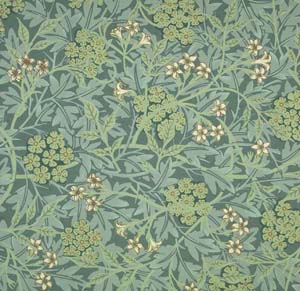
Once you understand the idea of tessellation you are really only limited by your imagination. Take the designer William Morris who produced some amazing wallpaper designs.
There is a Morris design in the in the example. Personally I think it looks as good on the web as it does on a wall.
Online there are a number of places for you to find wallpapers for both use and inspiration
Or you could just fire up Photoshop and start creating!
Tags
Can you help make this article better? You can edit it here and send me a pull request.
See Also
-
Curved boxes in CSS
Curved boxes are straight forward to do in CSS. Here's a quick tutorial of how to achieve curved boxes in CSS and what's to come in CSS 3. -
Contact details in one click
At some stage everyone has laboriously copied and pasted contact details from a website into their address book. Wouldn't it be nice if you could just click a graphic and see the details turn up in your address book? -
Firebug is simply brilliant
Software comes and goes and rarely is there a piece of 'must have' software. Firebug, an extension for Firefox, deserves to be to be heralded as an outstanding piece of software and something no web developer should be without.